Gemini CLI Setup
Gemini CLI is Google’s command-line tool for Gemini models. With HaoAI, you can use the Gemini protocol while gaining access to a broader model selection.
Setup Steps
1. Install Gemini CLI
npm install -g @google/gemini-cli
2. Configure HaoAI
Gemini CLI uses the Gemini native protocol. Point it to HaoAI via the configuration file:
~/.gemini/settings.json
{
  "apiKey": "<your HAOAI_API_KEY>",
  "baseUrl": "https://api.hao.ai/gemini"
}
Or use environment variables:
~/.zshrc
export GEMINI_API_KEY=<your HAOAI_API_KEY>The base URL configuration method for Gemini CLI may change with version updates. If the above method doesn’t work, refer to the latest Gemini CLI documentation.
3. Verify
gemini "Hello, tell me about yourself"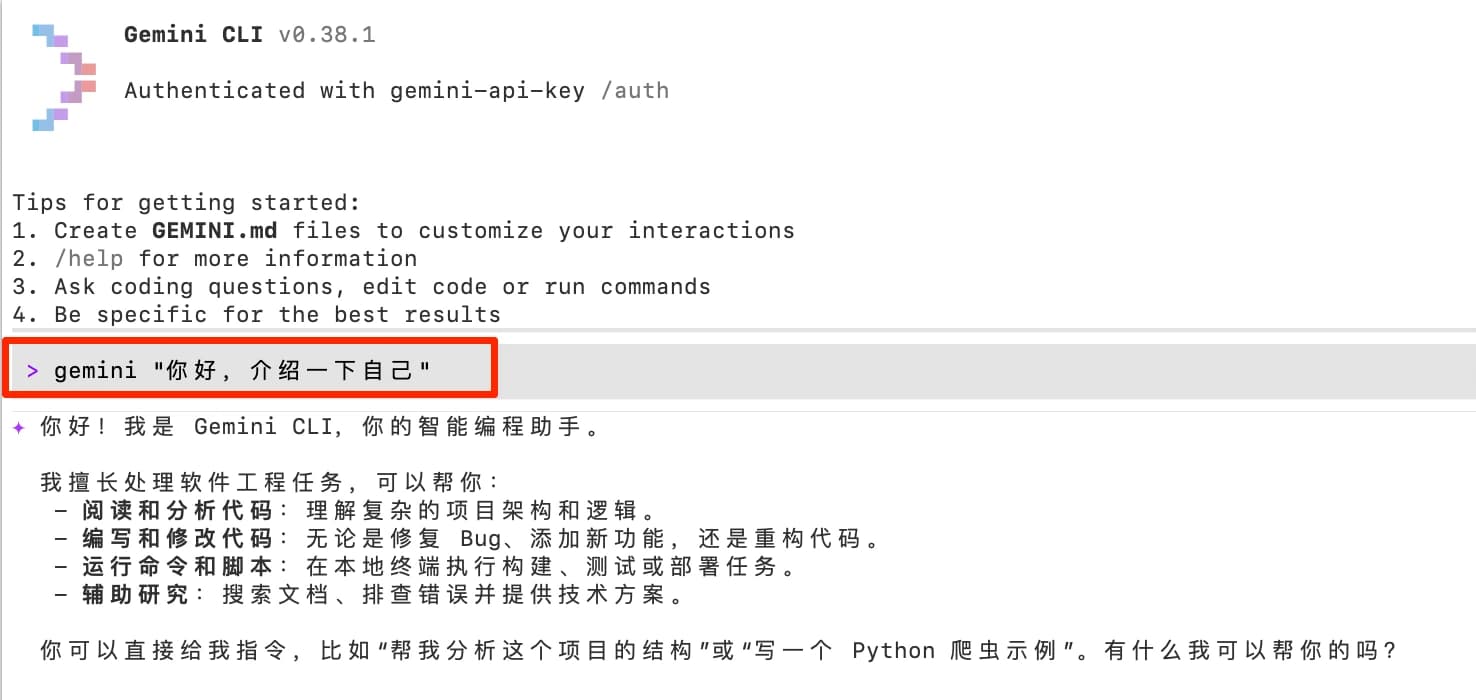
Available Models
For recommended models, see the HaoAI Model Marketplace .
Use Cases
- Code generation and review — Gemini models excel at code understanding
- Long file analysis — Leverage the 1M token context window
- Multimodal tasks — Analyze images, PDFs, and other files
Using Gemini CLI through HaoAI also gives you the benefits of fallback and routing optimization. See Advanced for details.